Purge Bucket Brush Calibration
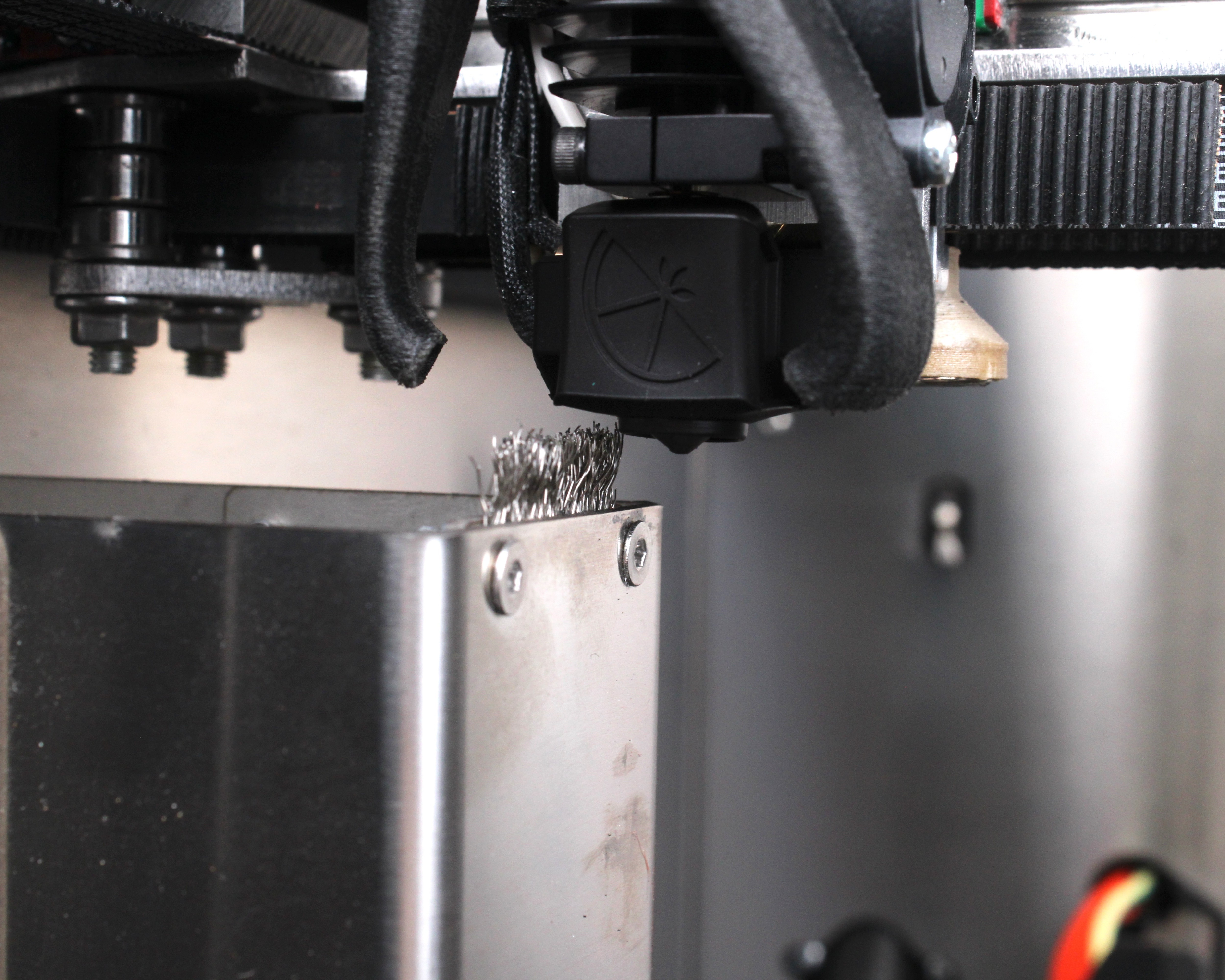
Adjust the purge bucket brush on the 22 IDEX V4 so the bristles sit 2-3 mm above the nozzle tip — enough to wipe ooze without straining the heat break.
This guide explains how to adjust the brush on the purge bucket of the Vision Miner 22IDEX V4. The bucket holds brushes that wipe ooze from the nozzles before printing. As the steel nozzle wears the bristles, you need to raise the brush so it stays about 2–3 mm above the nozzle tip for reliable cleaning.
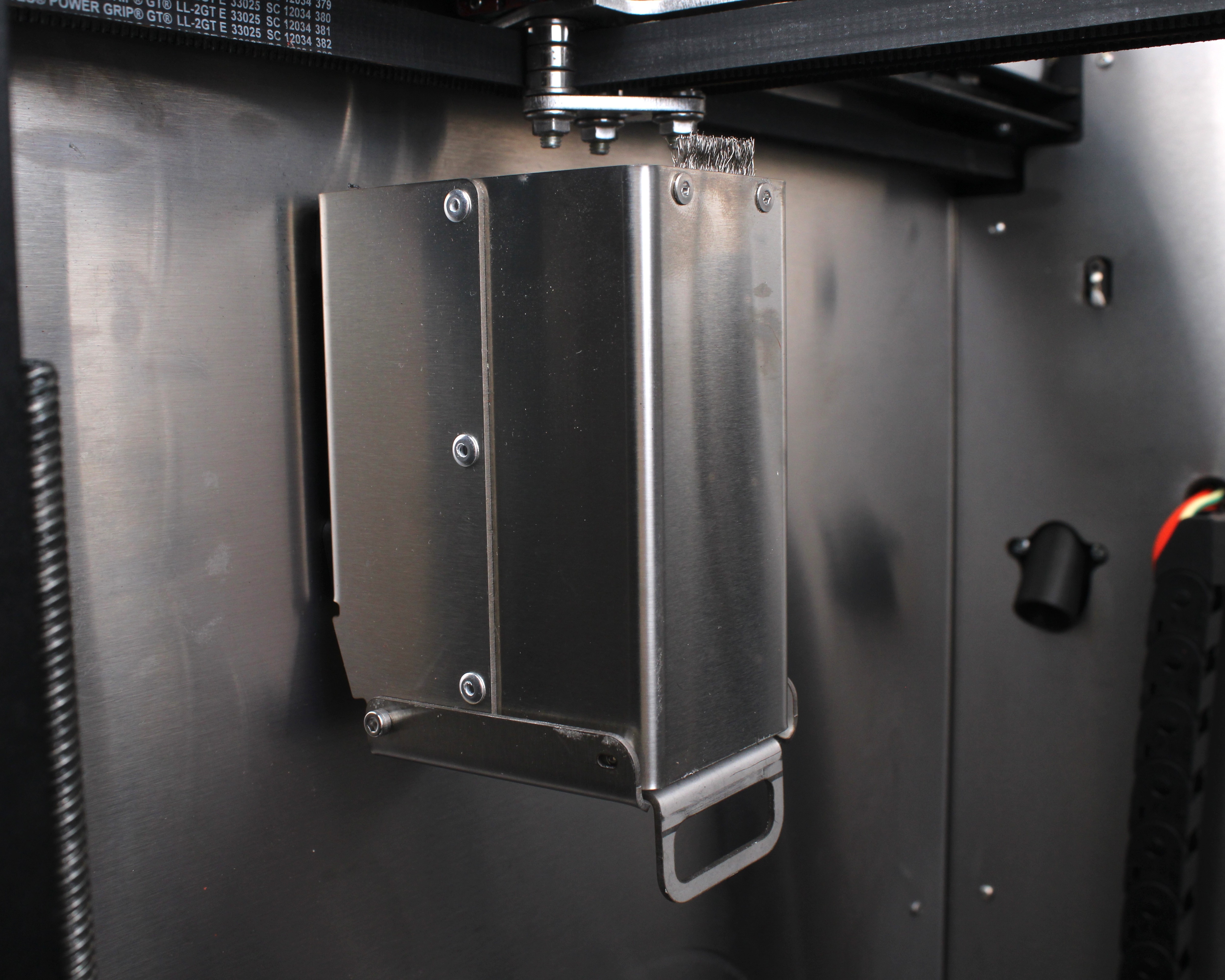
Before you begin - safety and risk
Read the Safety - Before You Begin article to understand the hazards involved in working on the Vision Miner 22IDEX V4 – including electrical, thermal, mechanical, and chemical risks. All procedures in this wiki are provided as recommendations only. By choosing to follow any procedure, you do so at your own risk.
Power off, unplug, and let the hotend cool
Turn off the printer and unplug it from the wall outlet. Wait at least 60 seconds for capacitors to discharge. The nozzle and heater block may still be hot after a recent print – let them reach room temperature before you touch anything.
Tools and Materials
- 2 mm hex screwdriver (hex wrench)
- Ruler or calipers – to verify the 2–3 mm overlap
1. Adjusting the Brush
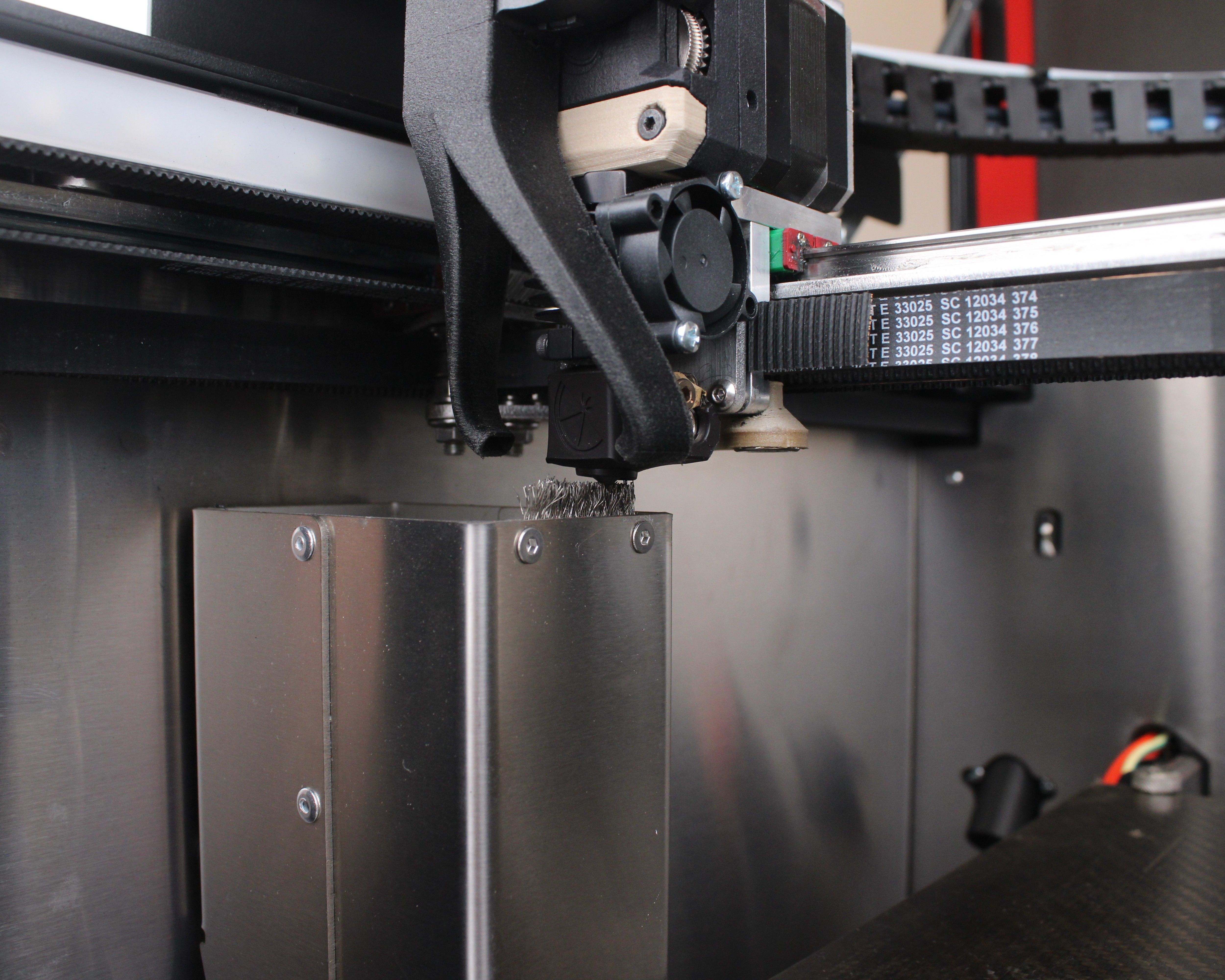
- Move the toolhead over the purge bucket so you can see the brush and the nozzle tip clearly.
-
Check how far the bristle tips extend above the nozzle tip. Target 2–3 mm – the bristles should overlap the nozzle by that amount so they brush over it during wiping.
-
Loosen the screws that hold the brush to the purge bucket.
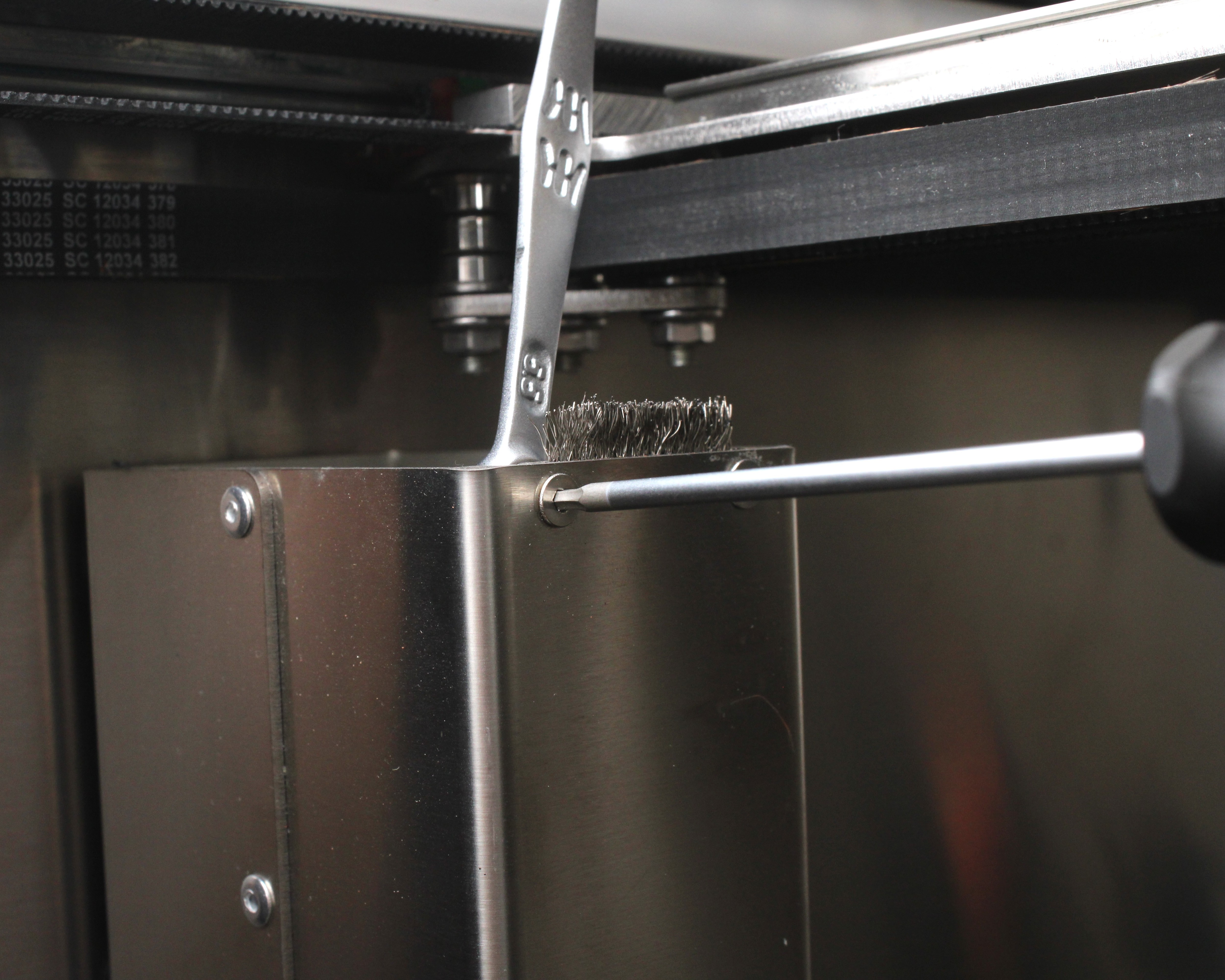
- Raise the brush until the bristles are 2–3 mm above the nozzle tip. Do not exceed this overlap: a higher brush puts excessive side load on the nozzle during wiping and can damage the heat break, which is a lengthy and costly repair.
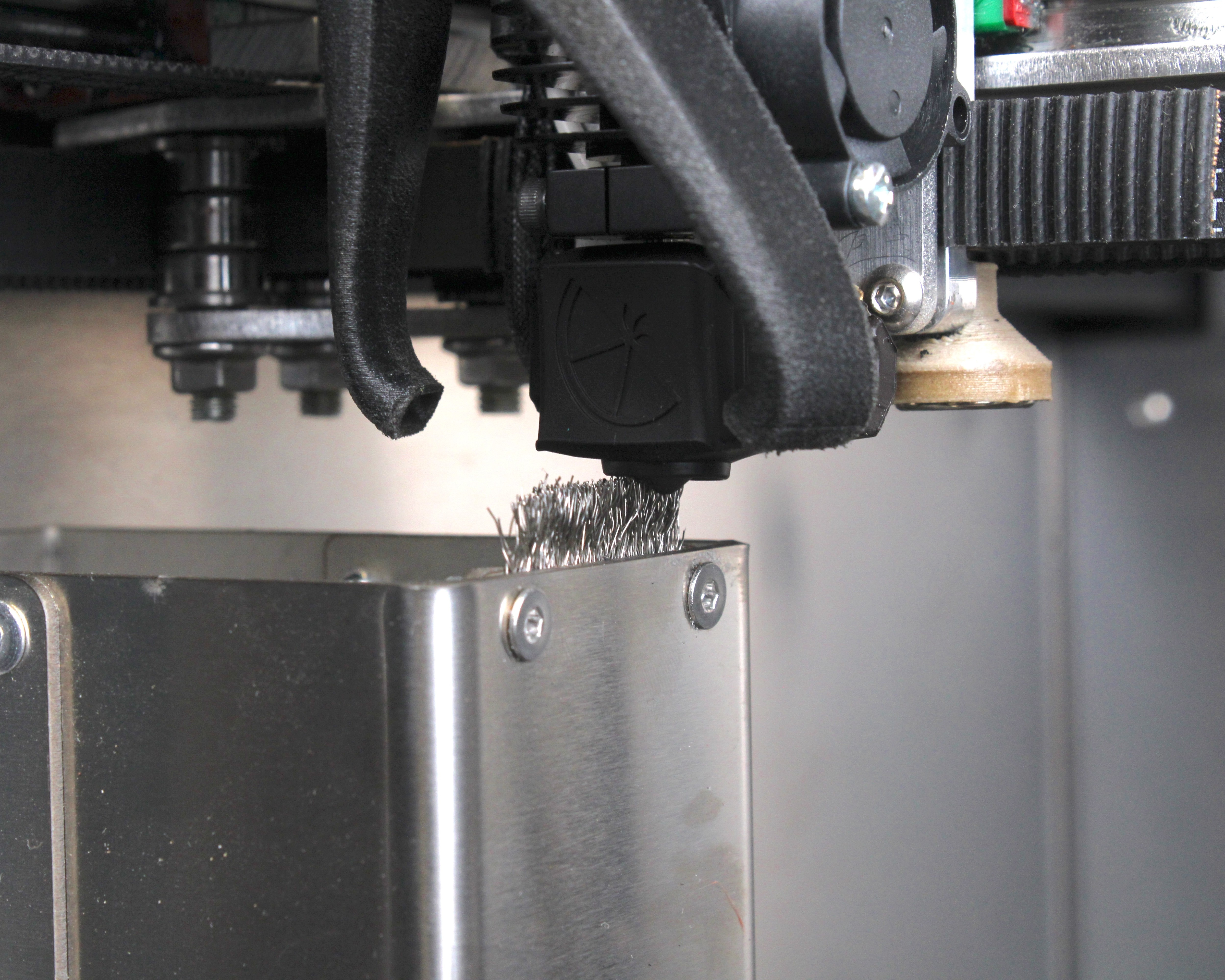
- Tighten the brush screws evenly so the brush cannot shift during wiping.
- Jog the nozzle near the brush again and re-check the 2–3 mm overlap.
2. When to Replace the Brush
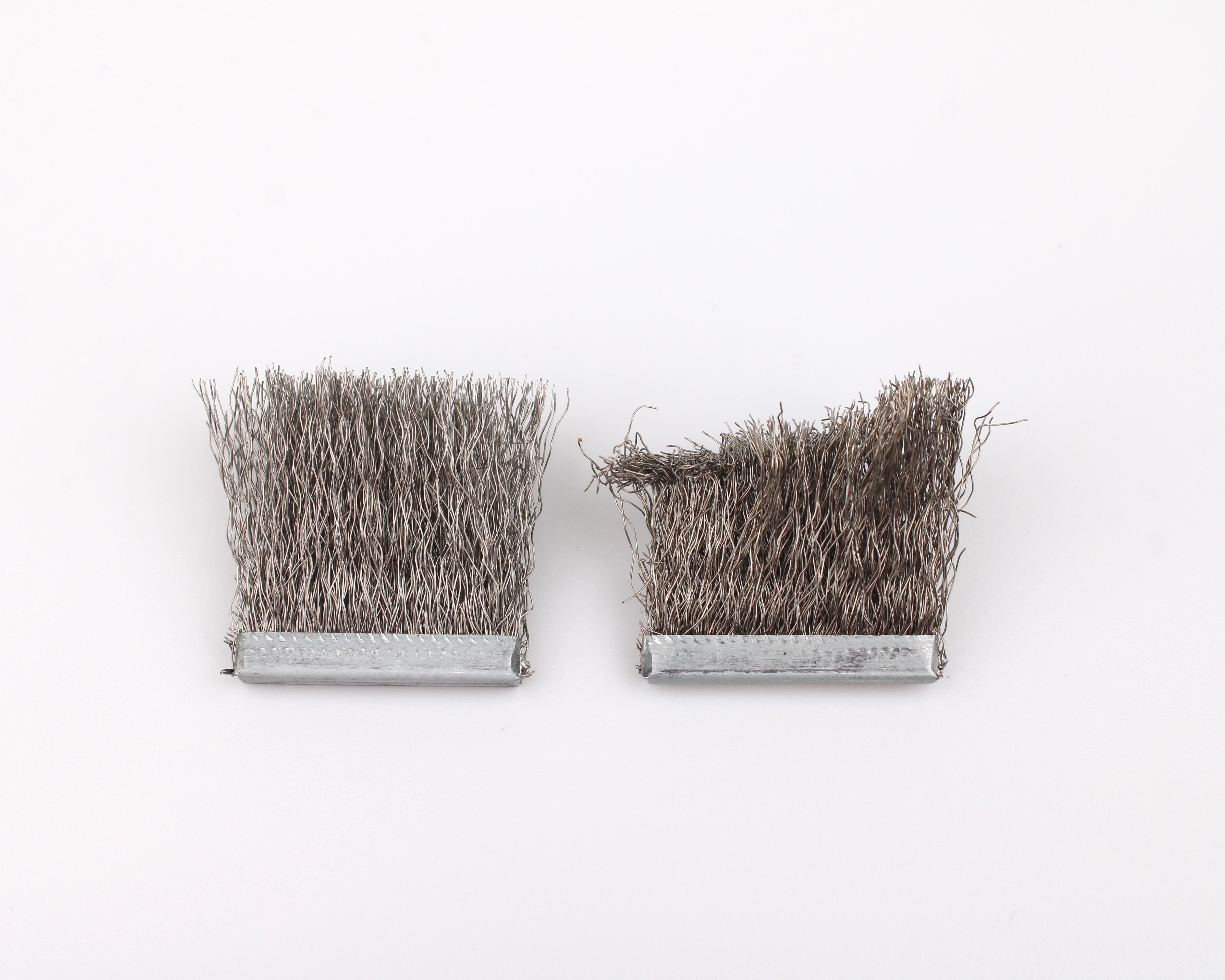
If you cannot achieve the 2–3 mm overlap above the nozzle because the bristles are too short, order a Purge Bucket Nozzle Brush Set.
If you are unsure which purge hardware fits your machine, reach out to our support team.
FAQ
Support
If you could not find an answer here, reach out to our support team.